Harnesses
How we built a 24/7 AI enquiry assistant for static sites
Static sites cannot run server-side logic, but clients wanted an AI chatbot that could handle enquiries, qualify leads, and send emails. Here is the architecture, the trade-offs, and what actually worked in production.
- Published
- 7 Sep 2026
- Reading
- 7 min
- Class
- harnesses
half-life 90dfrom 7 Sep 2026
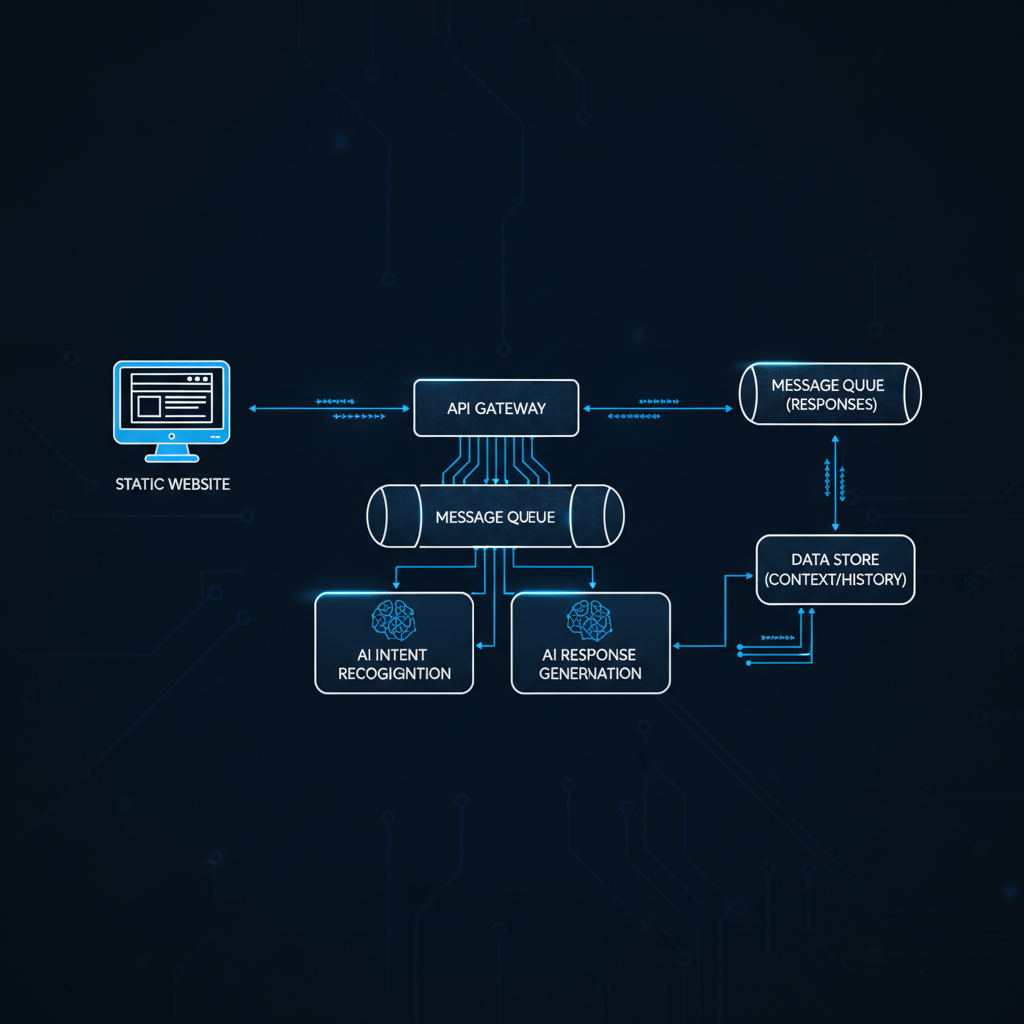
The brief was simple: the client wanted a chatbot on their static website that could answer visitor questions, qualify enquiries, and email the details to the business owner. The constraint was less simple: the site was a static HTML build — no server, no database, no backend. Just nginx serving files.
This is a common situation. Static sites are fast, secure, cheap to host, and trivial to maintain. They are also, by definition, incapable of running server-side logic. You cannot drop a PHP script or a Node.js middleware into the request chain. Everything client-side is fine. Anything that needs to talk to an external API, process data, or send an email requires a different approach.
Here is how we solved it at Daedalus Design, what worked, what did not, and the architectural decisions that mattered.
The architecture: edge function plus LLM API
The solution has three components:
- A client-side chat widget — a lightweight JavaScript module embedded in the static HTML. It handles the UI, manages conversation state in the browser, and sends user messages to the backend.
- An edge function — deployed on a serverless platform (we use Cloudflare Workers, but Vercel Edge Functions or AWS Lambda@Edge would work similarly). This is the only server-side component. It receives messages from the widget, constructs the prompt, calls the LLM API, and returns the response.
- An email delivery service — when a conversation reaches a qualifying threshold (the user has provided enough information to constitute a lead), the edge function sends a formatted email to the business owner via an API such as Resend or Postmark.
The static site itself is unchanged. It still serves HTML, CSS, and JavaScript from nginx. The chat widget is a script tag. The edge function runs on a completely separate infrastructure. The two connect via a single HTTPS endpoint.
Prompt engineering for enquiry handling
This is where most of the engineering effort actually went. The LLM API is straightforward — send a prompt, get a response. The hard part is writing a system prompt that produces reliable, consistent behaviour across thousands of different conversations.
The system prompt has four jobs:
Define the persona. The chatbot should sound like a knowledgeable employee of the business, not a generic assistant. We include the business name, tone guidelines, and a short description of what the business does. This is the easy part.
Set boundaries. The chatbot must not answer questions outside the business's domain. If someone asks about the weather or current events, it should redirect politely. If someone asks for medical or legal advice, it should decline clearly. We encode these as explicit rules in the system prompt, but we also run a lightweight topic classifier on the input before it reaches the LLM — defence in depth.
Guide the conversation. A good enquiry chatbot does not just answer questions — it asks them. The system prompt includes a conversation flow: greet, identify the visitor's need, gather contact details if appropriate, confirm the enquiry, and close. The LLM follows this flow naturally if the prompt is well-structured, but it adapts when the visitor has different priorities.
Extract structured data. At the end of a qualifying conversation, the edge function needs to extract specific fields — name, email, phone, enquiry type, summary — from the conversation history. We do this with a second LLM call: a structured extraction prompt that takes the full conversation and returns JSON. This is more reliable than trying to extract data inline during the conversation.
Latency and cost: the real numbers
Latency was our primary concern. A chatbot that takes five seconds to respond feels broken. Here is what we measured in production:
- Edge function cold start: 50–150ms on Cloudflare Workers. Essentially negligible.
- LLM API response time: 400–800ms for a typical conversational turn using a mid-tier model (Claude Haiku or GPT-4o-mini). This is the dominant latency factor.
- Total round-trip: 500–1000ms from the user pressing send to the response appearing. This feels responsive. Users tolerate it without noticing.
Cost is equally important, because a chatbot that handles hundreds of conversations per day needs to be economically viable. Using a mid-tier model at current API pricing, a typical conversation — 8 to 12 exchanges — costs between £0.002 and £0.005. At 500 conversations per month, the LLM cost is roughly £1.50. The edge function and email delivery add negligible cost. The total infrastructure bill for a busy chatbot is under £5/month.
This is the key insight: the LLM is cheap. The engineering is in the prompt, the guardrails, and the integration — not in the compute.
What did not work
Two approaches failed in testing.
RAG over a static knowledge base. We initially tried retrieval-augmented generation — embedding the client's product information and retrieving relevant chunks for each query. This added latency (the retrieval step), complexity (maintaining the vector store), and cost (embedding generation). For a small business with a focused product range, a well-written system prompt that includes the key information directly performed just as well, and was far simpler to maintain.
Streaming responses. We tried streaming the LLM response token by token to the client for a typewriter effect. This looked good in demos but caused problems in practice. Edge function timeouts on long responses, partial failures that left garbled text in the chat window, and increased complexity in the client-side state management. We switched to returning the complete response, and nobody noticed the difference. The perceived latency was the same because the LLM generation time dominates regardless.
What we learned
The biggest lesson from deploying this across multiple client sites at Daedalus Design: the chatbot's quality is determined almost entirely by the system prompt and the conversation design, not by the model choice. A well-prompted mid-tier model outperforms a poorly-prompted frontier model every time. Invest your engineering hours in prompt iteration and conversation testing, not in model selection.
The second lesson: edge functions are the right abstraction for this problem. They sit at the intersection of "server-side enough to hold an API key" and "lightweight enough to not feel like infrastructure." You do not need a server, a container, or a deployment pipeline. You need a function that receives an HTTP request, calls an API, and returns a response.
The third lesson: email is underrated as an output channel. The chatbot qualifies a lead and sends a formatted email to the business owner with the conversation summary, contact details, and enquiry type. The owner replies to the email to follow up. No CRM, no dashboard, no additional tools. It works because it fits into the workflow the business owner already has.
The stack, condensed
For anyone who wants to build this:
- Client: Vanilla JS chat widget, ~400 lines. No framework. Manages conversation state in memory, sends POST requests to the edge function.
- Backend: Cloudflare Worker, ~200 lines. Handles CORS, constructs the prompt, calls the LLM API, runs the extraction step, sends the email.
- LLM: Claude Haiku or GPT-4o-mini via their respective APIs. Either works. We default to whichever is cheaper at the time of deployment.
- Email: Resend API. Transactional email, no templates needed. Just a formatted plain-text body with the enquiry details.
- Hosting: The static site on nginx. The edge function on Cloudflare. Zero coupling between them.
Total lines of code: under 700. Total infrastructure cost: under £5/month. Total time from brief to live: two days, including prompt iteration and testing.
Simplicity is a feature. Every component you add is a component that can fail, needs maintenance, and increases the surface area for bugs. This architecture has three moving parts. Each one is well-understood, independently replaceable, and cheap to operate. That is what production AI infrastructure should look like.
Get an AI assistant for your static site
Daedalus Design builds AI-powered enquiry assistants as part of their website packages — including static sites. If you want a chatbot that handles enquiries, qualifies leads, and emails you the details without adding a backend, view the available packages.